


Table of Contents

Introducing Pilot Assist: Manual Freedom with Automatic Framing

Introducing Pilot Assist: Manual Freedom with Automatic Framing
Table of Contents

Feature Overview

Pilot Assist gives you semi-automatic control for creators who want freedom in flight without losing perfect framing. You can launch PilotAssist from any non-follow mode. You control the movement, the device keeps you centered—simple, stable, and intuitive.

Pilot Assist vs. Manual Control vs. Copilot


Pilot Assist Manual Control Copilot
Available Modes Non-follow modes (Hover, Zoom Out, Orbit, Bird's eye) Manual Control Mode Follow Modes
Subject Locking Automatically locks onto the subject (Like manual control, but with you at the center) No subject lock, full free flight control
Automatically locks and follows the subject (moves with the subject)


Usage Steps


  1. How to Enable It

(1) Via App


  • Open the Hover X1 app and connect to the flying camera. Choose the non-follow mode that you want to use (Hover, Zoom Out, Orbit, Bird's eye, etc.).
  • Note: if you want to enter directly into PilotAssist, you can use Hover mode.
  • Enter Smart Preview on the Hover page, find Pilot Assist in the flight settings, and turn it on. 

(2) Via Beacon


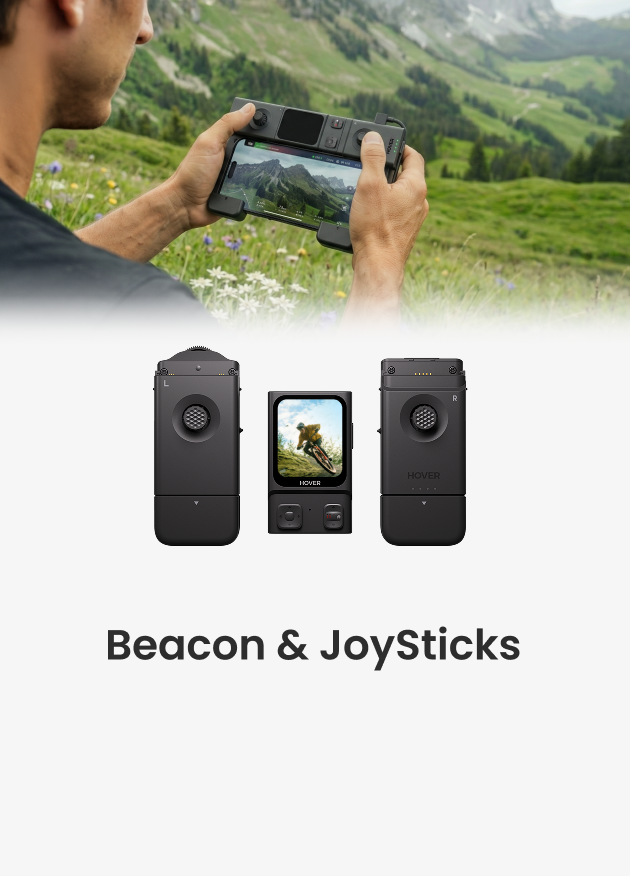
  • Make sure the Beacon is connected to the flying camera.
  • Tap the icon in the lower-left corner of the screen to enter the flight mode selection page.
  • Choose the non-follow mode that you want to use.
  • Swipe up to open the Settings page.
  • Find the Pilot Assist and turn it on.

  1. How to use


  • Use the Beacon’s direction buttons, or open Smart Preview from the Hover Settings page in the Hover X1 app and use the on-screen controls.
  • Pilot Assist activates as soon as you press a direction button. The flying camera pauses its previous motion and hovers. From here, you control height, distance, and camera angle, just like manual control, but Pilot Assist keeps you centered automatically.

Tips


  • If the subject is blocked or leaves the frame, the scene shows a red indicator and pauses the lock. When the subject returns, a green frame appears and you can continue control. 
  • Pilot Assist needs to be turned on manually the first time, and the device will remember your setting afterward.


Deja un comentario

Ten en cuenta que los comentarios deben aprobarse antes de que se publiquen.

  • A cyclist in motion on a country road is autonomously tracked and filmed from behind by a HOVERAir flying camera.

    Tips and Tricks for Filming Cycling Footage

    Reaching for your phone mid-ride is risky, but honestly, it feels easier than dealing with a full camera setup. Many riders skip action cams because they just hate changing batteries...

    Tips and Tricks for Filming Cycling Footage

    Reaching for your phone mid-ride is risky, but honestly, it feels easier than dealing with a full camera setup. Many riders skip action cams because they just hate changing batteries...

  • A comparison showing a complex professional drone setup versus a portable flying camera launching from a hiker's palm.

    Is It Worth Buying a Drone for Photography?

    Buying a drone for photography often feels like making the same mistake many of us made with DSLR cameras years ago. You carry around a heavy bag of lenses and...

    Is It Worth Buying a Drone for Photography?

    Buying a drone for photography often feels like making the same mistake many of us made with DSLR cameras years ago. You carry around a heavy bag of lenses and...

  • A Complete Guide to Auto Correction in HOVERAir Angle Track

    A Complete Guide to Auto Correction in HOVERAir...

    What is Auto Correction? During Angle Track, rapid movement, acceleration, or quick turns by the user can cause your Hover device's relative position to the subject to change. With Auto...

    A Complete Guide to Auto Correction in HOVERAir...

    What is Auto Correction? During Angle Track, rapid movement, acceleration, or quick turns by the user can cause your Hover device's relative position to the subject to change. With Auto...

1 de 3
  • HOVERAir Partners with FIS to Revolutionize Winter Sports Filming

    HOVERAir Partners with FIS to Revolutionize Win...

    Speed, altitude, adrenaline—and the pure joy of snow. HOVERAir is proud to partner with the International Ski and Snowboard Federation (FIS) as its official flying camera partner, opening a bold...

    HOVERAir Partners with FIS to Revolutionize Win...

    Speed, altitude, adrenaline—and the pure joy of snow. HOVERAir is proud to partner with the International Ski and Snowboard Federation (FIS) as its official flying camera partner, opening a bold...

  • A recap of HOVERAir's 2025 achievements

    2025 | Every Takeoff Is a Shared Journey

    2025 marked a meaningful milestone for HOVERAir. Three years have passed since our very first product took flight. Every takeoff since then has been more than a technical achievement — it...

    2025 | Every Takeoff Is a Shared Journey

    2025 marked a meaningful milestone for HOVERAir. Three years have passed since our very first product took flight. Every takeoff since then has been more than a technical achievement — it...

  • HOVERAir AQUA 4K waterproof drone debut at CES 2026

    AQUA, THE WORLD’S FIRST WATERPROOF SELF-FLYING...

    PRESS RELEASEDecember 16th, 2025Palo Alto, USAMaking a splash at CES 2026, HOVERAir is showcasing its 4K waterproof drone-designed for watersports-live in Las Vegas. Palo Alto, Dec. 16, 2025 - Zero...

    AQUA, THE WORLD’S FIRST WATERPROOF SELF-FLYING...

    PRESS RELEASEDecember 16th, 2025Palo Alto, USAMaking a splash at CES 2026, HOVERAir is showcasing its 4K waterproof drone-designed for watersports-live in Las Vegas. Palo Alto, Dec. 16, 2025 - Zero...

1 de 3
    1 out of ...