













How to Control HOVERAir AQUA with Beacon & JoySticks
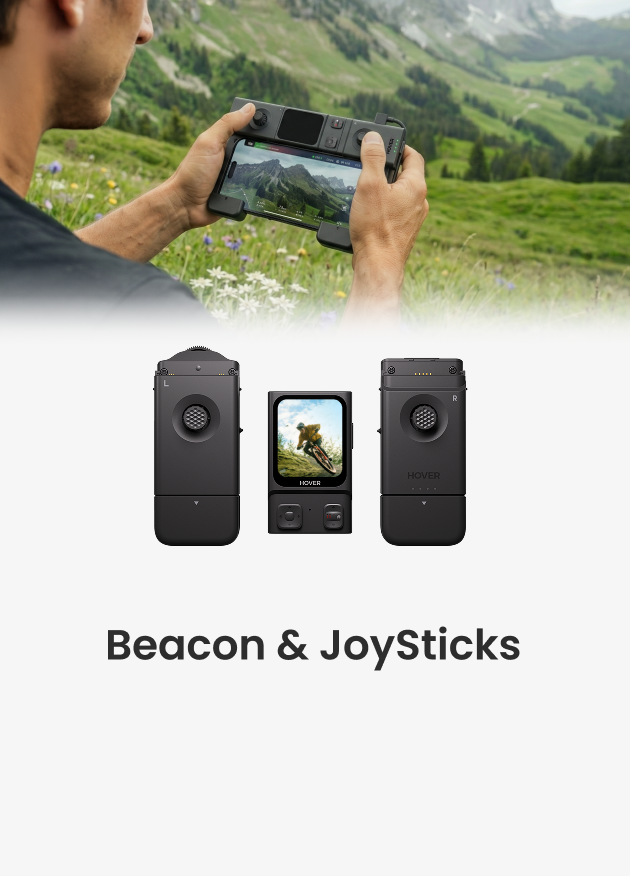
The Beacon and JoySticks serve as HOVERAir's all-new remote control solution, fully compatible across our entire lineup—from the X1 and X1 PRO/PROMAX to the AQUA. Acting as a unique tri-state modular controller, this setup gives you an easy way to take manual charge of your drone. Whether you prefer using the Beacon as a one-handed remote or attaching the JoySticks for extra precision, you stay in complete command.
If this is your first time using this accessory, we highly recommend watching the dedicated tutorial below to get familiar with the physical layout. After that, keep reading for a quick guide on how to safely and effectively pilot your AQUA manually.
Step 1: Update the Beacon and Connect to AQUA
Getting your equipment ready is an essential first step for a smooth flight. Start by checking your Beacon and updating it to the latest version. After the update finishes, simply follow the onscreen prompts to connect the controller directly to your AQUA.

Step 2: Fly AQUA Manually or Take Over Mid-Flight
Once connected, you have a few different ways to pilot your AQUA.
Manual Control
- One-Handed: Use the Beacon by itself as a simple one-handed remote controller.
- Two-Handed: Attach the JoySticks for a traditional setup with more precise handling.
Mid-Flight Manual Takeover
You can also start in automatic flight mode and take over manually while the drone is in the air.
- Short press the Function button to stop the AQUA.
- Use the direction buttons or the JoySticks to fly exactly where you want.

Step 3: Land Your AQUA or Return to Home
When you are ready to wrap up your flight, bringing the drone back down is very straightforward:
- Manual Landing: Pull the left JoyStick down all the way and hold it until your AQUA lands safely.

- Return to Home: Press and hold the Function button to have the drone come back automatically.

⚠️ Make sure to land on a flat surface. It is absolutely vital that you avoid sand at all times.
Crucial Water Safety Warnings for the Beacon & JoySticks
While your AQUA is built to handle the water, the Beacon and JoySticks are not waterproof. You must keep the controller completely dry at all times.
Where to Operate
For the safest experience, we recommend piloting your drone from the shore, elevated beach areas, or inside a dry boat cabin.
How to Keep them Safe
- Dry Hands Only: Never touch the Beacon with wet hands.
- Zero Seawater Exposure: Keep the controller far away from salt water, as it can cause severe damage.
- Use a Pouch: If you need to carry the Beacon with you during water activities, make sure to seal it securely inside a professional waterproof pouch.
What to Do If they Get Wet
If water does accidentally get on the Beacon or JoySticks, take action immediately:
- Turn the device off right away.
- Wipe it down thoroughly with an absorbent cloth.
- Stop using it immediately.
Want to see these steps in action? Watch our complete flight walkthrough with the AQUA below.
Start Filming with AQUA!
The Beacon makes manual flight feel completely natural right from the start. You do not need hours of practice to capture smooth coastal shots. Simply keep the controller perfectly dry and land on solid ground. With the safety checks done, head to the water and start recording.


