





Table of Contents

Introducing Pilot Assist: Manual Freedom with Automatic Framing

Introducing Pilot Assist: Manual Freedom with Automatic Framing
Table of Contents

Feature Overview

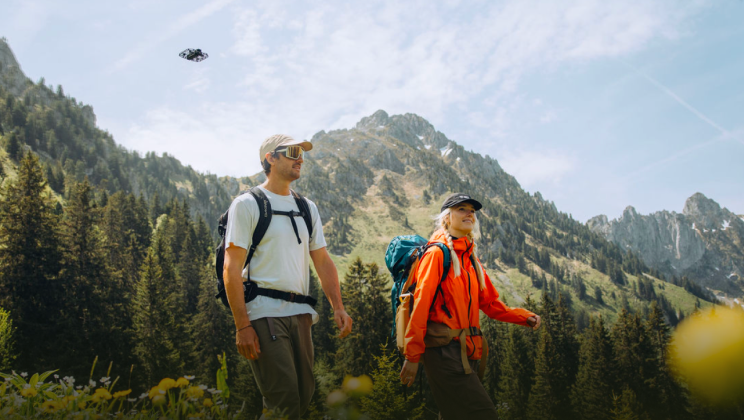
Pilot Assist gives you semi-automatic control for creators who want freedom in flight without losing perfect framing. You can launch PilotAssist from any non-follow mode. You control the movement, the device keeps you centered—simple, stable, and intuitive.

Pilot Assist vs. Manual Control vs. Copilot


Pilot Assist Manual Control Copilot
Available Modes Non-follow modes (Hover, Zoom Out, Orbit, Bird's eye) Manual Control Mode Follow Modes
Subject Locking Automatically locks onto the subject (Like manual control, but with you at the center) No subject lock, full free flight control
Automatically locks and follows the subject (moves with the subject)


Usage Steps


  1. How to Enable It

(1) Via App


  • Open the Hover X1 app and connect to the flying camera. Choose the non-follow mode that you want to use (Hover, Zoom Out, Orbit, Bird's eye, etc.).
  • Note: if you want to enter directly into PilotAssist, you can use Hover mode.
  • Enter Smart Preview on the Hover page, find Pilot Assist in the flight settings, and turn it on. 

(2) Via Beacon


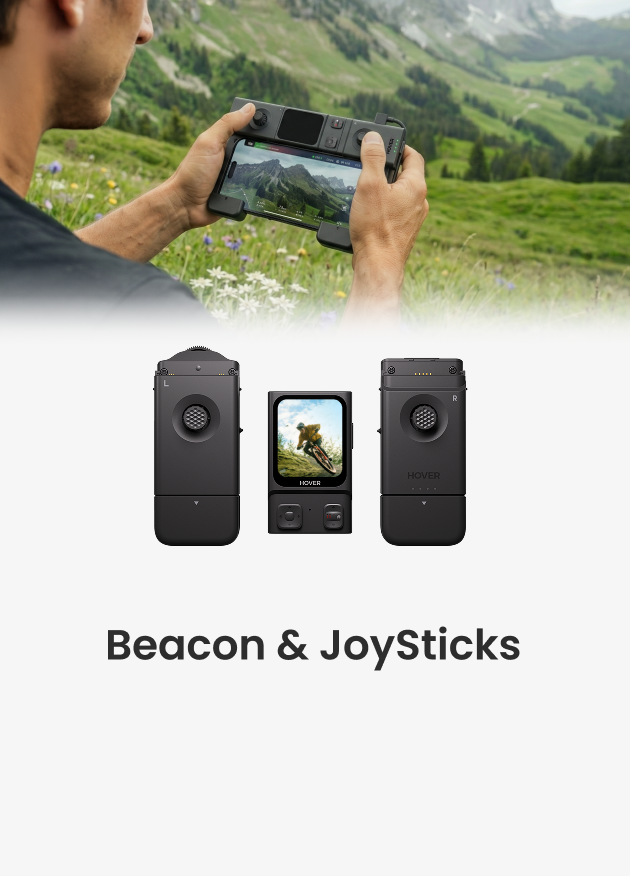
  • Make sure the Beacon is connected to the flying camera.
  • Tap the icon in the lower-left corner of the screen to enter the flight mode selection page.
  • Choose the non-follow mode that you want to use.
  • Swipe up to open the Settings page.
  • Find the Pilot Assist and turn it on.

  1. How to use


  • Use the Beacon’s direction buttons, or open Smart Preview from the Hover Settings page in the Hover X1 app and use the on-screen controls.
  • Pilot Assist activates as soon as you press a direction button. The flying camera pauses its previous motion and hovers. From here, you control height, distance, and camera angle, just like manual control, but Pilot Assist keeps you centered automatically.

Tips

  • If the subject is blocked or leaves the frame, the scene shows a red indicator and pauses the lock. When the subject returns, a green frame appears and you can continue control. 配图
  • Pilot Assist needs to be turned on manually the first time, and the device will remember your setting afterward.


Laisser un commentaire

Veuillez noter que les commentaires doivent être approuvés avant d'être publiés.

  • 10 Must-Have Drone Shots with HOVERAir X1 PROMAX

    10 Must-Have Drone Shots with HOVERAir X1 PROMAX

    Whether you’re shooting cinematic travel films, YouTube content, or client projects, mastering a few key drone shots can completely transform your storytelling. In this guide, we’ll break down 10 essential...

    10 Must-Have Drone Shots with HOVERAir X1 PROMAX

    Whether you’re shooting cinematic travel films, YouTube content, or client projects, mastering a few key drone shots can completely transform your storytelling. In this guide, we’ll break down 10 essential...

  • The Hottest Tech Gadget to Gift This Year: A HOVERAir Self-Flying Camera

    The Hottest Tech Gadget to Gift This Year: A HO...

    Just in time for the holidays, HOVERAir is offering up to 30% off — the perfect chance to gift next-level, AI-enhanced aerial creativity. This holiday season takes off with HOVERAir....

    The Hottest Tech Gadget to Gift This Year: A HO...

    Just in time for the holidays, HOVERAir is offering up to 30% off — the perfect chance to gift next-level, AI-enhanced aerial creativity. This holiday season takes off with HOVERAir....

  • Introducing Pilot Assist: Manual Freedom with Automatic Framing

    Introducing Pilot Assist: Manual Freedom with A...

    Feature Overview Pilot Assist gives you semi-automatic control for creators who want freedom in flight without losing perfect framing. You can launch PilotAssist from any non-follow mode. You control the...

    Introducing Pilot Assist: Manual Freedom with A...

    Feature Overview Pilot Assist gives you semi-automatic control for creators who want freedom in flight without losing perfect framing. You can launch PilotAssist from any non-follow mode. You control the...

1 de 3
  • From Oprah to Men’s Health: HOVERAir PROMAX Takes Home Two Big Awards

    From Oprah to Men’s Health: HOVERAir PROMAX Tak...

    This holiday season, the gift that literally flies off the shelves just made history. HOVERAir PROMAX was awarded not once, but twice today! PROMAX is officially one of Oprah’s Favorite Things...

    From Oprah to Men’s Health: HOVERAir PROMAX Tak...

    This holiday season, the gift that literally flies off the shelves just made history. HOVERAir PROMAX was awarded not once, but twice today! PROMAX is officially one of Oprah’s Favorite Things...

  • HOVERAir AQUA Wins the Technology & Planning Award at the DGP Imaging Awards 2025!

    HOVERAir AQUA Wins the Technology & Planning Aw...

    We are proud to announce that HOVERAir AQUA, the first waterproof model in the HOVERAir lineup, has been honored with the Technology & Planning Award at the DGP Imaging Awards...

    HOVERAir AQUA Wins the Technology & Planning Aw...

    We are proud to announce that HOVERAir AQUA, the first waterproof model in the HOVERAir lineup, has been honored with the Technology & Planning Award at the DGP Imaging Awards...

  • Best Drone Black Friday Deals 2025

    Best Drone Black Friday Deals 2025

    Looking for the best drone Black Friday deals 2025? Whether you’re a travel vlogger, content creator, or just want a fun flying camera for family adventures, HOVERAir’s Black Friday sale...

    Best Drone Black Friday Deals 2025

    Looking for the best drone Black Friday deals 2025? Whether you’re a travel vlogger, content creator, or just want a fun flying camera for family adventures, HOVERAir’s Black Friday sale...

1 de 3
    1 out of ...