












The Best Vlogging Cameras for Beginners in 2026: 5 Easy Picks for Every Vlog Style

Finding the right vlogging camera for beginners shouldn't feel like a film school exam. Yet most new creators make the same costly mistake: spending over $1,000 on an intimidating setup, only to let it gather dust because it’s too heavy, complicated, and shaky for everyday walking shots.
In 2026, the best camera isn't the one with the biggest lens—it’s the one that removes technical friction so you actually take it out and hit record. Whether you need a steady pocket camera for travel, an easy sit-down setup for YouTube, or a hands-free solution for solo shooting, here are the starter cameras actually worth your money this year.
Quick Decision Table: Best Starter Cameras at a Glance
Do You Really Need a Vlogging Camera?
Here is the honest truth: if you only film quick clips at your desk or casual stories for Instagram, your phone is already good enough.
Modern phones shoot sharp 4K video. They work great in daylight, and they fit right in your pocket. If you are just testing the waters, do not spend money on extra gear yet.
However, phones hit real limits when you start filming travel vlogs, outdoor walk-and-talks, or longer YouTube videos. Most beginners run into three big problems:

1. The "Walking Crop" and Tired Arms
Phones use digital tricks to fix shaky footage while you walk. To smooth out your steps, the phone zooms in on your shot by 10% to 20%.
Because of this zoom, your face fills almost the entire screen when you hold the phone out. The scenery behind you gets cut off. To fit more of the background into the shot, you have to stretch your arm out as far as you can. Within five minutes, your arm and shoulder will start to ache.
2. The Trouble with Phone Gimbals
Many beginners try to fix shaky video by buying a $100 motorized phone gimbal. But phone gimbals bring their own headaches:
- You have to take off your phone case and balance the clamp every single time.
- An incoming text or phone call can instantly ruin your take.
- Recording 4K video makes your phone heat up fast. After 15 minutes, your screen dims and the battery drains quickly. That leaves you with no camera and a dead phone.
3. Filming Alone (The Solo Creator Dilemma)
When you vlog alone, you have to do everything yourself. It is hard to prop a phone up without carrying a bulky tripod or leaning it against a water bottle.
Dedicated vlogging cameras are built to solve this. Whether they have built-in kickstands, physical gimbals, or smart AI tracking, they make it easy to film yourself hands-free. You get great angles without looking awkward in public.
The 4 Types of Beginner Vlogging Cameras
Before buying your first beginner camera for vlogging, look at its shape. The form factor decides whether you get an easy vlogging camera you love using or a bulky setup you leave at home.
Here is what you need to know about the four main categories:
1. Pocket Gimbal Cameras (Best for Walking & Solo Travel)
If you want the best camera to start vlogging while walking, a gimbal camera is the easiest choice. It uses a motorized 3-axis mechanical arm to cancel out footsteps instantly.
- The Big Advantage: Butter-smooth walking video with zero screen crop. Your face and background stay natural.
- The Downside: The zoom range is small. Digital zoom crops the sensor, reducing sharpness compared to true telephoto lenses.
- Best For: Solo creators, travel vloggers, and anyone wanting a good starter camera for vlogging without buying heavy stabilizers.
2. Compact Point-and-Shoot Cameras (Best for Desk & Sitting Vlogs)
A compact camera is an all-in-one simple vlogging camera with a built-in lens that slips into your pocket.
- The Big Advantage: Fast eye-tracking autofocus, flattering skin tones, and soft background blur.
- The Downside: Lacks a physical gimbal. Walking relies on electronic image stabilization (EIS), which crops the screen by 10% to 20%.
- Best For: Bedroom setups, unboxing videos, and sitting at a desk.
3. Entry-Level Mirrorless Cameras (Best for Studio Setups & Photography)
An entry level vlogging camera lets you swap lenses for professional picture quality and deep background blur.
- The Big Advantage: Large APS-C sensors deliver stunning low-light video and sharp, high-resolution photos.
- The Downside: Most budget bodies lack in-body image stabilization (IBIS). Walking footage is shaky, and standard kit lenses are too tight, requiring extra wide lenses and grips.
- Best For: Creators building a home studio who want to learn photography.
4. Action Cameras (Best for Sports & Bad Weather)
For rough outdoor use, an action camera is a durable basic vlogging camera built to take a beating.
- The Big Advantage: Waterproof, shockproof, and packed with rock-solid horizon leveling.
- The Downside: A fixed minimum focus distance blurs objects held closer than 12–16 inches (30–40 cm). Low-light video is noisy.
- Best For: Surfing, snowboarding, beach days, and rough adventures.
The 5 Best Vlogging Cameras for Beginners in 2026

1. HOVERAir VERSA — Best Vlogging Camera for Solo Creators & Travel Vloggers
The HOVERAir VERSA 2-in-1 Gimbal Camera is built for creators who travel and film alone. When walking through a bustling street market or exploring a city, its physical 3-axis mechanical gimbal keeps your video completely level and smooth. You get zero awkward walking bounce, and your face stays natural without the screen being cropped. It also features a 2x lossless zoom, allowing you to punch in for a closer view of your street food or a nearby landmark with a quick tap. If you create for TikTok or Instagram Reels, it shoots native 4K vertical video straight out of the box, so you can post directly without cropping your footage later.
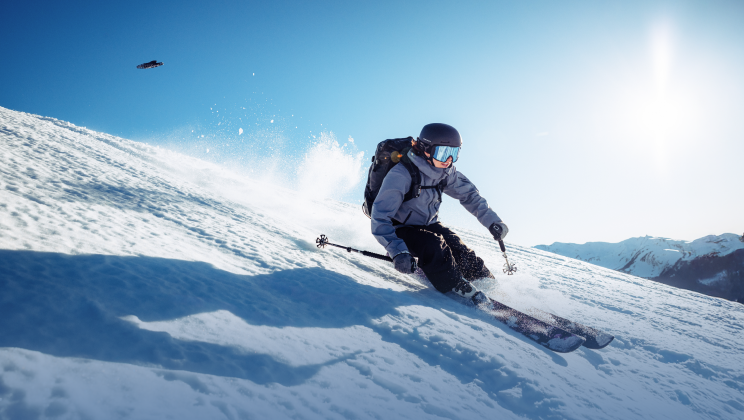
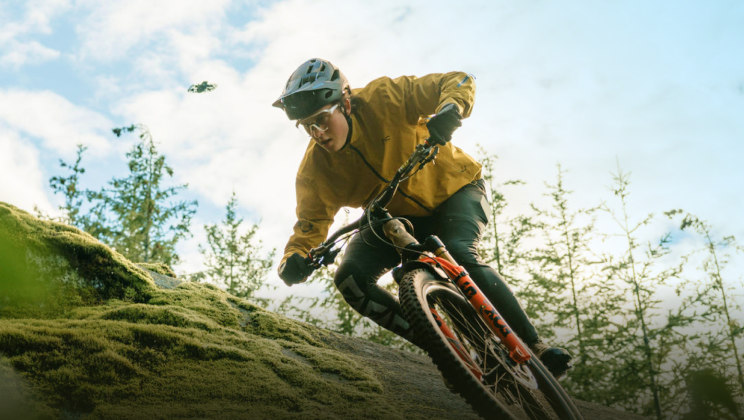
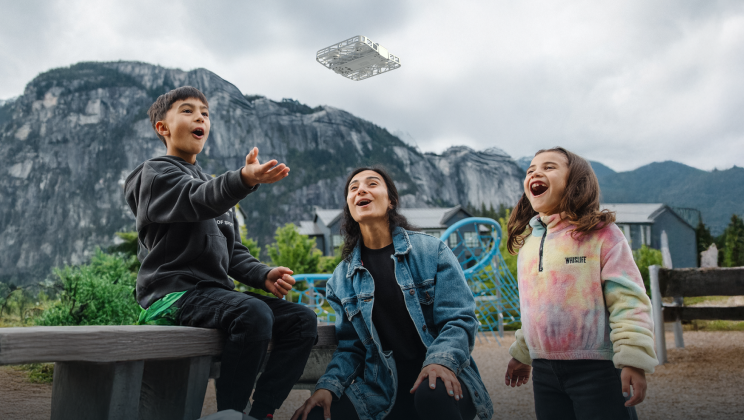
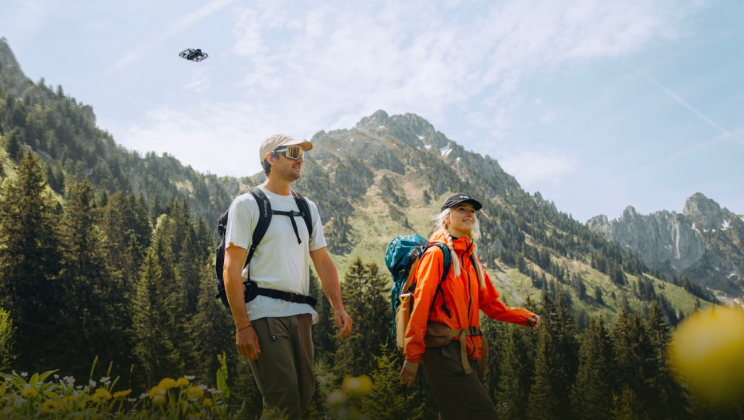
Where the VERSA truly shines is capturing third-person B-roll when you have no cameraman. Instead of balancing a tripod on a rock or asking strangers for help, simply snap on the lightweight flight kit and let it fly with the press of a button. You never have to learn how to pilot—HOVERAir does it all for you. It launches straight from your palm, tracks you hands-free with ShadowTrack AI, and runs built-in cinematic moves like Orbit, Zoom Out, and Bird's Eye while your hands stay in your pockets. For audio, you can use the built-in mic, sync with your smartphone, or plug a wireless receiver into its USB-C port.
Quick Specs
- Sensor: 1/1.3" CMOS
- Video: Up to 4K/60fps (10-bit HDR); Native 4K Vertical Video support
- Zoom: 2x Lossless Zoom
- Stabilization: Integrated 3-Axis Physical Mechanical Gimbal
- Weight: ~163g (Handheld Gimbal Mode) / ~230g (Flight Mode)
- Battery Life: Up to 3 hours (Handheld) / ~14 minutes (Per Flight Battery)
- Audio: Onboard mic, smartphone audio sync, and USB-C wireless mic support
- Screen: OLED flip touchscreen with Tap-to-Track
Pros:
- Rock-steady 3-axis mechanical gimbal with zero crop
- 2-in-1 design: handheld walking vlogs + hands-free flying follow
- One-tap cinematic camera moves (Orbit, Zoom Out, Bird's Eye)
- 2x lossless zoom for instant, sharp reframing
- Native 4K vertical video for TikTok and Reels
- Long 3-hour handheld battery life
- Ultralight and fits in your pocket (163g–230g)
Cons:
- No obstacle avoidance in flight mode (needs open spaces)
- ~14 minutes of flight per charge (batteries are swappable).
2. Sony ZV-1F — Best Compact Camera for Desk & Sit-Down Vlogs
The Sony ZV-1F is an ideal simple vlogging camera for creators filming at a desk, in a bedroom, or doing beauty reviews. Its 20mm wide lens fits you and your room easily into the frame, while Sony’s reliable eye autofocus keeps you tack-sharp. Handy physical shortcuts eliminate menu diving: press the "Bokeh Switch" for instant background blur, or use "Product Showcase" to automatically shift focus to items you hold up to the lens. It comes with a snap-on windscreen for clean voice audio. However, when walking outdoors, its active digital stabilization noticeably crops into the shot, making it far better suited for sitting than walking.
Quick Specs
- Sensor: 1" Exmor RS CMOS
- Lens: 20mm f/2.0 Equivalent Prime Lens (Fixed focal length)
- Video: 4K/30fps, 1080p/120fps
- Stabilization: Active Digital Image Stabilization (EIS)
- Weight: ~256g (With battery and SD card)
- Screen: 3.0" Side-Flip Vari-Angle Touchscreen
- Audio: Directional 3-Capsule Mic with Snap-On Windscreen
Pros:
- Lightning-fast eye-tracking autofocus
- One-touch background blur button (Bokeh Switch)
- Instant focus shift for items (Product Showcase mode)
- Flattering skin tones with optional soft skin smoothing
- Included snap-on windscreen delivers clean voice audio
Cons:
- Fixed prime lens with no optical zoom
- Digital stabilization crops heavily when walking
3. Canon PowerShot V10 — Best Ultra-Simple Pocket Stand Camera
The Canon PowerShot V10 is an ultra-portable simple vlogging camera designed for lifestyle vloggers, students, and cafe reviewers. Shaped like a tiny smartphone, its standout feature is a built-in folding metal stand that pops out from the base. You can set it on a coffee table, library desk, or restaurant counter at multiple angles without packing a mini-tripod. Its wide 19mm lens easily frames you and your surroundings, while Canon’s color science delivers warm, flattering skin tones with zero editing. However, because it lacks physical mechanical stabilization, walking footage looks bumpy, making it far better as a stationary desk and table camera.
Quick Specs
- Sensor: 1" CMOS
- Lens: 19mm f/2.8 Equivalent Wide Lens (Fixed)
- Video: 4K/30fps, 1080p/60fps
- Stabilization: Movie Digital IS (Electronic)
- Weight: ~211g
- Screen: 2.0" Flip-Up Touchscreen
- Special Feature: Built-In Multi-Angle Folding Kickstand
Pros:
- Built-in folding stand completely replaces mini-tripods
- A tiny upright body fits in any jacket or jeans pocket (~211g)
- Flattering Canon skin tones straight out of the camera
- Wide 19mm lens keeps your background in view
- Zero learning curve with simple, smartphone-like menus
Cons:
- Digital stabilization is shaky and crops when walking
- Built-in battery cannot be swapped out (~55 mins in 4K)
- A small 2-inch screen can be harder to see in bright sun
4. Canon EOS R50 — Best Starter Mirrorless Camera to Grow Into
If you want to build a dedicated home studio and learn photography alongside video, the Canon EOS R50 is an outstanding entry level vlogging camera. Its large APS-C sensor delivers rich, cinematic background blur that smartphones cannot fake. Canon’s Dual Pixel autofocus tracks your eyes effortlessly, while the fully articulating side-flip screen makes framing yourself easy. It also doubles as a sharp 24-megapixel camera for professional Instagram photos and video thumbnails. However, it lacks in-body mechanical stabilization (IBIS). Because the standard kit lens is too narrow for handheld walking vlogs, shooting on the move requires buying a separate ultra-wide lens.
Quick Specs
- Sensor: 24.2MP APS-C CMOS
- Lens Mount: Canon RF / RF-S (Interchangeable lenses)
- Video: 4K/30fps (Oversampled 6K, uncropped), 1080p/120fps
- Stabilization: Movie Digital IS + Lens Optical IS (No in-body IBIS)
- Weight: ~375g (Body only with battery and SD card)
- Screen: 2.95" Fully Articulating Vari-Angle Touchscreen
- Autofocus: Dual Pixel CMOS AF II with Subject & Eye Tracking
Pros:
- Large APS-C sensor produces beautiful, natural background blur
- Sharp 24MP still photos for high-res thumbnails and social posts
- Flawless eye and face tracking autofocus
- Full access to swap lenses as your video skills grow
- Fully articulating side-flip touchscreen
Cons:
- No in-body mechanical stabilization (shaky for walking vlogs)
- Standard kit lens (18-45mm) is too tight when held at arm's length
- Requires extra lenses and an external mic for a complete setup
5. GoPro HERO 13 Black — Best Vlogging Camera for Action & Extreme Outdoors
For outdoor athletes, beach travelers, and adrenaline junkies, the GoPro HERO 13 Black is the ultimate rugged basic vlogging camera. It is waterproof down to 33 feet (10 meters) straight out of the box, so you can jump into the ocean or film in heavy rain without a case. Its HyperSmooth 6.0 stabilization and 360-degree Horizon Lock keep video completely level, even if the camera spins on a bumpy bike trail. Thanks to its unique 8:7 sensor, you can record once and crop your video into both 16:9 for YouTube and 9:16 for TikTok. However, its fixed lens cannot focus on small objects held close, and video gets noisy in dim indoor lighting.
Quick Specs
- Sensor: 1/1.9" CMOS (8:7 Aspect Ratio)
- Video: 5.3K/60fps, 4K/120fps, 2.7K/240fps
- Stabilization: HyperSmooth 6.0 with 360° Horizon Lock
- Waterproofing: 33ft (10m) without housing
- Weight: ~159g (With battery)
- Screens: Dual Screens (Front 1.4" + Rear 2.27" Touchscreen)
Pros:
- Tough and waterproof to 33 feet without an extra case
- Outstanding digital stabilization with 360° Horizon Lock
- 8:7 sensor lets you easily export horizontal and vertical video
- Front color screen makes selfie framing simple
- Pocket-sized and weighs only ~159g
Cons:
- Cannot focus on close-up objects (minimum focus ~30–40cm)
- Poor low-light and night video quality
- Built-in microphone audio drops when the camera gets soaked
How to Choose Your First Vlogging Camera
When shopping for your first camera to start vlogging, spec sheets can feel overwhelming. Brands throw around confusing terms like bitrates, color profiles, and sensor dimensions.
In reality, you don’t need film school specs to start a great channel. Here are the five practical features that truly decide whether you love using your camera or leave it on a shelf:
1. Physical Mechanical Stabilization Beats Digital Cropping
If you want to walk and talk, pay close attention to how the camera keeps your video steady.
Digital stabilization smooths out bumps by zooming into your picture, cutting off your background and squeezing your face into the frame. A physical 3-axis mechanical gimbal physically tilts and pans the lens. You get rock-steady video while keeping your full, wide-angle view.
2. Reliable Eye & Subject Tracking
When talking to the camera, you cannot constantly check if you are in focus.
Look for cameras with smart face-tracking or AI subject-locking. Whether you shift around your desk chair or walk down a sidewalk, the camera should keep your eyes sharp automatically without blurring your face.
3. The "300-Gram Rule" (Weight Decides Everything)
The best camera is the one you actually take outside.
A setup that weighs over 500 grams might feel light in your living room, but holding it out at arm's length for ten minutes will make your shoulder ache. It also forces you to carry a dedicated camera backpack. Choosing an easy vlogging camera that stays under 300 grams means you can slip it into a coat pocket and film whenever inspiration strikes.
4. Clean Audio That Fits Your Style
Viewers will forgive average video quality, but they will click away instantly if your audio is scratchy and muffled.
Look for cameras with built-in wind filtering (like a snap-on windscreen) or easy USB-C ports that accept wireless microphones. Getting clear speech in a windy park or a noisy cafe is essential for any good starter camera for vlogging.
5. Social-Ready Vertical Video
If you create content for TikTok, Instagram Reels, or YouTube Shorts, pay attention to the video aspect ratio.
A camera that shoots native 4K vertical video saves you hours of post-production work. You get sharp vertical clips immediately, without having to crop landscape footage and lose image quality in your editing app.
Conclusion
At the end of the day, the best camera is the one you actually take with you. Starting your channel shouldn't require heavy gear bags, confusing menus, or a personal videographer.
If you want an easy vlogging camera that delivers rock-steady walking video and cinematic, hands-free follow shots without a tripod, the HOVERAir VERSA is designed to set you free.
FAQs About Beginner Vlogging Cameras
1. What is the easiest camera to start vlogging with?
For complete beginners, choose all-in-one pocket cameras like the HOVERAir VERSA or Canon PowerShot V10. They need zero lens setup or gimbal balancing - just turn them on and press record.
2. Is a gimbal camera better than a mirrorless camera for beginners?
Yes, for walking and travelling. A 3-axis mechanical gimbal smooths out footsteps without cropping your face, while mirrorless cameras require heavy accessories to stay steady.
3. How do solo vloggers capture third-person B-roll without a tripod?
Cameras like the VERSA launch directly from your palm. Using AI tracking, they follow you hands-free from the air for cinematic third-person shots without extra gear.
4. Do beginner vloggers really need 4K?
Yes. 4K lets you crop and reframe in editing without losing quality. YouTube also assigns higher bitrates and better codecs (like VP9) to 4K uploads for much sharper playback.


